Many sites, especially documentation portals and SaaS products, now publish a small Markdown file called llms.txt hoping ChatGPT and Perplexity will cite them, yet no major answer engine has publicly confirmed that it reads the file to pick sources. So what is llms.txt, and does it measurably improve AI visibility? The available evidence suggests that llms.txt works as a convenient reading list for AI agents, yet no major answer engine has publicly confirmed that it uses the file to choose sources.
This guide explains how the format works, how to write one, what Google has said on the record, and where a marketing team's limited hours produce better returns.
Key takeaways
-
llms.txt is a proposal, not a ranking signal. The file is a Markdown document at your domain root that summarises your site and links to its most important pages for language models.
-
Google Search explicitly does not require it. Google's own documentation states that AI text files are unnecessary for appearing in AI Overviews or AI Mode.
-
The cost is low, and so is the expected upside. The file is most useful for developer documentation and AI coding assistants, and least useful for local service businesses.
-
Citations still come from fundamentals. Crawlable pages, direct answers, structured data and consistent entity signals carry most of the weight in AI search.
At a glance
- What it is: A plain Markdown file served at yourdomain.com/llms.txt
- Who proposed it: Jeremy Howard, September 2024 (llmstxt.org, 2024)
- Required content: Only an H1 containing the site or project name; a summary and link sections are recommended
- Cost: Free; typically under an hour to write by hand for a small site (our estimate, not a benchmark)
- Google Search support: None; Google says AI text files are not needed
- Best fit: APIs, developer tools, SaaS documentation and knowledge-heavy sites
- Lowest priority for: Local service businesses and small e-commerce catalogues
What is llms.txt, in plain terms?
llms.txt is a proposed Markdown file, served from the root of a domain, that gives large language models (LLMs, the AI systems behind ChatGPT, Claude and Gemini) a concise, curated overview of a website. The file names the project, summarises it in a sentence or two, and links to the pages an AI agent should read first.
Jeremy Howard published the proposal in September 2024, describing the goal as adding "a /llms.txt markdown file to websites to provide LLM-friendly content" (llmstxt.org, 2024). The underlying problem is practical. A typical web page wraps its useful text in navigation menus, scripts, cookie banners and footer links, while an LLM can only process a finite context window (the maximum amount of text a model can consider at once).
A well-curated llms.txt file replaces that noise with a clean summary and a prioritised reading list. The same proposal also recommends serving a Markdown copy of each important page at the same URL with ".md" appended, so that agents can retrieve clean text instead of parsing raw HTML (llmstxt.org, 2024).
Where does the llms.txt file live?
The file sits at the root path of the domain, exactly like robots.txt, so the address is always yourdomain.com/llms.txt. Because the format is plain Markdown rather than XML or JSON, a human can read and edit it in any text editor without specialised tooling.
What does an llms.txt file look like?
An llms.txt file uses minimal Markdown: one H1 title, a short summary in a blockquote, optional context paragraphs, and H2 sections containing lists of links with brief notes. Only the H1 is mandatory, and a section titled "Optional" marks secondary links that an agent may skip when it needs a shorter context.
The following illustrative example describes a fictional project management SaaS. The structure follows the published proposal (llmstxt.org, 2024), while the company name and URLs are invented for demonstration.
## TaskFlow
> TaskFlow is project management software for agencies with 5 to 50 people. It combines client projects, time tracking and invoicing in one workspace.
[Share on LinkedIn](https://www.linkedin.com/sharing/share-offsite/?url=https%3A%2F%2Frankmesh.ai%2Fblog%2Fwhat-is-llms-txt) · [Share on X](https://twitter.com/intent/tweet?text=TaskFlow%20is%20project%20management%20software%20for%20agencies%20with%205%20to%2050%20people.%20It%20combines%20client%20projects%2C%20time%20tracking%20and%20invoicing%20in%20one%20workspace.&url=https%3A%2F%2Frankmesh.ai%2Fblog%2Fwhat-is-llms-txt)
TaskFlow is sold per seat with a free trial. Plans change, so always treat the live pricing page as the source of truth.

## Product docs
- [Getting started](https://taskflow.example/docs/start.md): create a workspace and invite your team
- [Time tracking](https://taskflow.example/docs/time.md): timers, manual entries and approvals
- [API reference](https://taskflow.example/docs/api.md): REST endpoints and authentication
## Company
- [Pricing](https://taskflow.example/pricing): current plans and limits
- [About](https://taskflow.example/about): team, location and contact details

## Optional
- [Changelog](https://taskflow.example/changelog): full release history
Notice what the example deliberately omits. The file contains no marketing slogans, no keyword lists and no hard-coded prices that will become outdated. An effective llms.txt file reads like a briefing note that a knowledgeable colleague would hand to a new hire.
What is llms-full.txt, and how is it different?
llms-full.txt is a companion file that concatenates a site's documentation into one long Markdown document instead of linking to separate pages. The convention is not defined in the original llms.txt proposal; documentation platform Mintlify says it developed llms-full.txt in collaboration with its customer Anthropic (Mintlify, 2025).
The trade-off is completeness versus size. A single comprehensive file lets a developer paste one URL into an AI tool and load an entire documentation set, but large documentation sites can produce files far bigger than most context windows can absorb. For a marketing site with twenty pages, llms-full.txt adds little value; for an API with hundreds of reference pages, the file can save developers considerable effort.
llms.txt vs robots.txt vs sitemap.xml: what is the difference?
The three files serve distinct purposes. robots.txt tells crawlers which paths they may or may not access, sitemap.xml lists URLs for discovery and indexing, and llms.txt offers a curated, human-readable summary intended to help AI agents understand a site. Only robots.txt and sitemaps enjoy long-standing search engine support.
The practical distinction in the llms.txt vs robots.txt debate is control versus guidance. A robots.txt rule actually changes crawler behaviour, whereas an llms.txt file merely suggests what an agent might read, and the agent remains free to ignore it.
At a glance
- robots.txt: Controls crawler access; plain-text directives; respected by major search engines
- sitemap.xml: Lists URLs for discovery; XML format; widely supported by search engines
- llms.txt: Curates key pages for AI agents; Markdown format; no confirmed support from major answer engines
- llms-full.txt: Bundles full documentation into one file; Markdown format; a community convention used mainly by docs platforms
One consequence matters for anyone worried about AI training or scraping. Blocking or permitting AI crawlers such as GPTBot or ClaudeBot happens in robots.txt, never in llms.txt, so publishing an llms.txt file grants no permissions and withholds none.
What is llms.txt used for in practice?
In practice, llms.txt is most useful when an AI agent has already arrived at a site and needs to navigate it efficiently. Typical scenarios include AI coding assistants reading API documentation, developers pasting a docs URL into a chat window, and autonomous agents completing a task on a specific website.
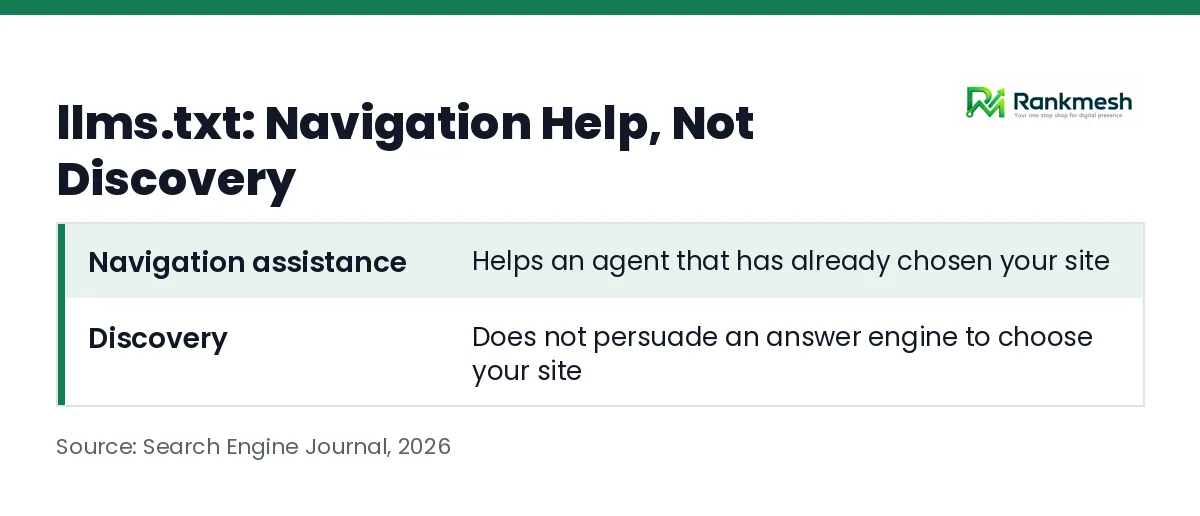
Google's John Mueller captured this distinction in 2026, noting that "if someone is already on your website, maybe some kind of automated system is helpful" (Search Engine Journal, 2026). That use case is genuine, but it is navigation assistance, not discovery. The file helps an agent that has already chosen your site; it does not persuade an answer engine to choose your site over a competitor's.
The proposal's adoption reflects this pattern. Mintlify reports that adoption stayed niche until it enabled llms.txt across the documentation sites it hosts, after which companies such as Anthropic and Cursor began supporting the file (Mintlify, 2025). The early adopters, in other words, were overwhelmingly developer documentation rather than marketing or e-commerce sites.
What is llms.txt file support like across ChatGPT, Gemini and Perplexity?
Public support from the major answer engines is effectively absent. Google states that AI text files are unnecessary for its AI features, and Google's search advocates have argued that a self-declared summary cannot be trusted to rank sites. We found no public documentation from OpenAI or Perplexity confirming that llms.txt influences which sources their answers cite.
Google's guidance on AI Overviews and AI Mode is unusually direct on the point.
"You don't need to create new machine readable files, AI text files, or markup to appear in these features." (Google Search Central, 2026)
Mueller's reasoning explains why. In the same 2026 discussion, he said an LLM system "by design, can't trust what is here as a way of differentiating between different websites," and he has compared llms.txt to the long-abandoned keywords meta tag (Search Engine Journal, 2026). Any signal that a site owner can write about themselves, without independent verification, tends to be manipulated and then discounted by ranking systems.
How do you create an llms.txt file?
Creating an llms.txt file takes four steps: list your most important pages, write a one-sentence summary, group the links under H2 headings with short notes, and upload the file to your domain root. Most small sites can complete the process in a single working session.
- Select the pages that matter. Choose roughly 10 to 30 URLs: product or service pages, pricing, documentation, policies and your About page.
- Write the summary. Describe what the business does, for whom, and where it operates, in plain factual language rather than marketing copy.
- Group and annotate the links. Organise the URLs under H2 headings and add a brief note after each link explaining what the page contains.
- Publish and verify. Upload the file to the root directory, confirm it loads at yourdomain.com/llms.txt, and schedule a quarterly review so links stay current.
On platforms that restrict root-level files, such as some hosted website builders, the process may require a platform setting, an app, or a redirect. Check your platform's current documentation before assuming a workaround is available.
Should you use an llms.txt generator?
An llms.txt generator, whether a CMS plugin or a crawler-based tool, can produce a first draft in seconds by scanning your sitemap. The output usually needs editing, because generators tend to include every URL rather than curating the pages that genuinely explain your business. Treat generated files as raw material, then prune them by hand.
How can you tell whether AI crawlers read the file?
Your server access logs answer that question better than any blog post. Filter the logs for requests to /llms.txt and examine the user agents (the identifiers that bots send with each request), such as GPTBot, OAI-SearchBot, ChatGPT-User, ClaudeBot, Claude-User, PerplexityBot or Perplexity-User. If, after several weeks, few or no AI crawlers request the file, that is useful evidence about how much effort it deserves.
What actually earns AI citations, if not llms.txt?
AI citations come from the same foundations that support strong organic search performance: pages that crawlers can access, content that answers questions directly, accurate structured data, and consistent information about your business across the web. These signals can be verified independently, which is precisely why answer engines trust them more than self-declared summaries.
The highest-leverage work usually includes the following:
- Crawlability and indexation. Ensure that important pages are not blocked, are server-rendered where possible, and return clean status codes.
- Answer-first structure. Open each section with a direct, quotable answer, then provide supporting detail, which is the core of answer engine optimization (AEO).
- Structured data. Use schema markup (machine-readable labels describing your organisation, products and FAQs) that accurately mirrors visible content.
- Entity consistency. Keep your business name, description, address and category identical across your website, Google Business Profile, LinkedIn and directories.
- Third-party corroboration. Earn mentions in reviews, industry publications and comparison pages, because independent sources confirm what your own site claims.
None of these tasks is glamorous, and none can be completed once and forgotten. That ongoing effort is why some teams hand the execution to AI SEO agents that monitor and fix issues continuously rather than through quarterly audits.
What this means for you
The right decision depends on what kind of business you run and how AI tools reach your content.
- SaaS and developer tools: Publish an llms.txt file, and consider llms-full.txt for large documentation sets. Developers increasingly read your docs through AI coding assistants, so the convenience benefit is tangible.
- E-commerce brands: Adding a short file is harmless, but prioritise product schema, clean category structures and accurate stock and pricing data first.
- Local service businesses: Skip llms.txt for now. An active, consistent Google Business Profile and well-structured service pages will matter far more to AI recommendations.
- Agencies: Avoid selling llms.txt to clients as an AI visibility fix. Position the file as optional hygiene, and measure citation outcomes rather than file deployment.
Whatever you decide, measurement matters more than speculation. Track a defined set of prompts that your buyers actually ask, then check whether ChatGPT, Gemini and Perplexity cite your brand before and after each change.
Frequently asked questions
Does llms.txt improve Google rankings?
No. Google states that sites do not need AI text files to appear in AI Overviews or AI Mode, and the file has no documented role in organic rankings. Treat any vendor claim to the contrary with scepticism unless it comes with verifiable evidence.
Can llms.txt block AI models from using my content?
No. llms.txt is an informational file with no access-control function. If you want to restrict specific AI crawlers, add rules to robots.txt, and remember that compliance depends on each crawler honouring those rules.
Is llms.txt harmful to publish?
Publishing the file carries very little risk, provided its content matches what your pages actually say. The main hazard is maintenance: an outdated file with broken links or old pricing can mislead the agents that do read it.
How often should an llms.txt file be updated?
Review the file whenever you launch, remove or substantially rewrite key pages, and at least once a quarter otherwise. Sites with frequently changing documentation benefit from generating the file automatically during each deployment.
See where AI search actually cites you
llms.txt is a reasonable, low-cost experiment that takes under an hour, but it will not tell you whether ChatGPT, Claude or Perplexity recommends your business today. RankMesh tracks citations across ChatGPT, Claude, Perplexity and Google AI Overviews, and its agents fix the structured data, entity signals and page structure that answer engines rely on. Every technical change can ship as a reviewable GitHub pull request or through your connected CMS, so your team stays in control of what goes live.
Start with a free report to see where you stand in Google and AI search today. If you then want the work handled continuously, RankMesh AI Recommendations turns AI visibility from guesswork into a measured workflow.